
Table of Contents
- What is AI and Why It Matters for NetSuite
- Why Data Migration Matters for NetSuite AI Integration
- How AI4NetSuite Supports NetSuite Data for AI
- Steps for Effective Data Migration
- AI vs Traditional Analytics in NetSuite: Key Differences
- Unifying AI and Analytics in NetSuite with AI4NetSuite
- How to Prepare NetSuite for AI in 7 Steps
- Prepare NetSuite for AI with GURUS Solutions
- Frequently Asked Questions About AI for NetSuite
Adding AI to NetSuite requires preparing your NetSuite data for AI workloads by cleaning and structuring it, choosing AI tools that can access NetSuite data securely, and layering an AI-ready analytics platform on top of NetSuite. AI4NetSuite is purpose-built for this: it replicates NetSuite data into a governed Google BigQuery data model with native Vector Search, then powers both traditional dashboards (Power BI, Tableau, Looker Studio) and conversational AI (ChatGPT, Gemini, Claude, or any LLM) from the same unified data foundation.
Artificial Intelligence (AI) is revolutionizing industries worldwide, and businesses using NetSuite are no exception. Preparing your organization to embrace AI involves several crucial steps, from understanding what AI is to effectively managing data migration, and more.
But what are the differences between Artificial Intelligence and traditional analytics? Continue reading to learn how these two approaches compare, and how to unify both of them on top of your NetSuite ERP with AI4NetSuite.
Get a Free Assessment
What is AI and Why It Matters for NetSuite?
AI, short for Artificial Intelligence, involves machines that are programmed to mimic human intelligence and learn in a similar way. AI applications include machine learning, natural language processing, robotics, and more.
These technologies enable machines to perform tasks that typically require human intelligence, such as decision-making, problem-solving, and language understanding.
AI can be divided into two categories:
Narrow AI:
AI systems designed to handle a specific task, such as virtual assistants or recommendation engines.
General AI:
AI with generalized human cognitive abilities, capable of performing any intellectual task that a human can.
Why Data Migration Matters for NetSuite AI Integration
Data migration is a foundational step in preparing for AI integration. Proper data migration ensures that your organization's data is accurate, consistent, and accessible, which is critical for effective AI deployment.
AI models are only as strong as the data behind them. If your NetSuite data is fragmented, duplicated, or inconsistent, the AI models built on top of it will surface unreliable insights. Preparing NetSuite data for AI is about consolidating customer, transaction, product, and operational data into a clean, governed foundation that AI tools can trust.
How AI4NetSuite Supports NetSuite Data for AI
When considering how to prepare NetSuite data for AI workloads, AI4NetSuite plays a central role. AI4NetSuite is GURUS Solutions' purpose-built integration and analytics platform that replicates NetSuite data into a governed Google BigQuery data model with pre-joined views and native Vector Search, giving AI tools a clean, query-ready foundation to work from.
From the same governed data model, AI4NetSuite powers:
-
Traditional analytics dashboards in Power BI, Tableau, or Looker Studio
-
Conversational AI through ChatGPT, Gemini, Claude, or any LLM of your choice
-
Semantic search across NetSuite records using BigQuery
-
Vector Search AI agents that pull from live NetSuite financial, inventory, and customer data without exposing NetSuite directly to any AI tool
Learn more about AI4NetSuite
Steps for Effective Data Migration
Assessment and Planning:
Identify the data to be migrated and plan the migration process meticulously.
Data Cleansing:
Ensure data is clean and free from duplicates and errors.
Data Mapping:
Map data from the source system to the target system, ensuring compatibility.
Migration Execution:
Perform the data migration using appropriate tools and techniques.
Validation and Testing:
Validate the migrated data to ensure accuracy and completeness.
AI vs Traditional Analytics in NetSuite: Key Differences
Traditional analytics (often called Business Intelligence) involves the use of technologies and methods to gather, merge, assess, and display business data. The goal is to support better business decision-making through descriptive analytics, showing what happened and why. Traditional analytics systems include data warehousing, data mining, and reporting tools.
While both AI and traditional analytics are used to generate insights, they differ in their approach and capabilities.
AI Capabilities:
AI goes beyond BI by enabling predictive and prescriptive analytics. It can learn from data, identify patterns, and make decisions with minimal human intervention.
Traditional Analytics Capabilities:
Traditional analytics focuses on descriptive analytics, providing a historical view of data to help users understand past trends and performance.
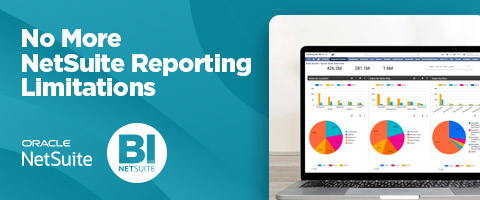
Unifying AI and Analytics in NetSuite with AI4NetSuite
Traditional analytics and AI are not competing choices; they're complementary layers of insight, and the strongest NetSuite implementations deliver both from the same foundation. Historically this meant standing up separate BI tools and separate AI tools, often on separate data pipelines. AI4NetSuite eliminates that split.
With AI4NetSuite, NetSuite data lands once in a governed Google BigQuery data model. From that single foundation, your team runs descriptive dashboards, predictive AI models, and conversational AI queries. That means one data governance model, one integration platform, and one source of truth serving both your finance team's monthly close reports and your operations team's AI-driven scenario planning.
How to Prepare NetSuite for AI in 7 Steps
Assess Readiness
Evaluate your current infrastructure, data quality, and organizational readiness for AI integration. Identify gaps and areas needing improvement.
Develop a Strategy
Create a comprehensive AI strategy aligned with your business goals. This strategy should outline the objectives, timelines, and resources required for AI implementation.
Invest in Training
Ensure your team is well-equipped with the necessary skills and knowledge to work with AI technologies. Invest in training programs and workshops to build AI competency.
Choose the Right Tools
Select AI tools and platforms compatible with NetSuite. Consider factors such as scalability, ease of integration, and support services. A purpose-built platform like AI4NetSuite removes the need to build custom pipelines between NetSuite and each AI tool you want to use.
Implement Data Governance
Establish data governance practices to ensure data quality, privacy, and security. This includes setting up data standards, policies, and procedures.
Pilot and Scale
Start with a pilot project to test the feasibility of AI integration. Use the insights gained from the pilot to scale AI implementation across the organization.
Monitor and Optimize
Continuously monitor AI performance and optimize the system based on feedback and changing business needs. Regularly update AI models to ensure accuracy and relevance.
Prepare NetSuite for AI with GURUS Solutions
GURUS Solutions has been implementing and customizing NetSuite ERP for over 20 years across 2,500+ projects, with deep expertise in NetSuite data architecture, analytics, and AI integration. AI4NetSuite is purpose-built to make NetSuite AI-ready: it replicates NetSuite data into a governed Google BigQuery data model with pre-joined views and native Vector Search, then powers both traditional analytics dashboards (Power BI, Tableau, Looker Studio) and conversational AI (ChatGPT, Gemini, Claude, or any LLM) from a single source of truth without exposing NetSuite directly to any AI tool.
Whether you're preparing your first AI pilot on top of NetSuite data, retrofitting AI into an existing NetSuite implementation, or building a full data foundation that supports both traditional analytics and conversational AI on a governed platform, our team configures NetSuite and AI4NetSuite to fit how your business operates, not the other way around.
Contact GURUS Solutions to discuss your NetSuite AI integration needs and get started.
Frequently Asked Questions About AI for NetSuite
What is the difference between AI and traditional analytics in NetSuite?
Traditional analytics (Business Intelligence) focuses on past data trends and descriptive reporting. Artificial Intelligence uses that same data to make predictions, generate recommendations, and automate decisions. AI4NetSuite delivers both from a single governed data model on Google BigQuery.
Can I integrate AI tools directly into NetSuite?
AI tools like ChatGPT, Gemini, and Claude don't connect directly to NetSuite in a scalable, secure way. Best practice is to layer a governed data platform (like AI4NetSuite) between NetSuite and the AI tools, which controls what data is exposed, keeps NetSuite production isolated, and gives every AI tool the same clean data foundation.
Why is data migration important before AI integration in NetSuite?
Clean, organized data ensures your AI models can produce accurate insights. Data migration and preparation help structure your data for optimal AI performance and prevent AI hallucinations or unreliable outputs caused by messy source data.
What is AI4NetSuite?
AI4NetSuite is GURUS Solutions' purpose-built integration and analytics platform that replicates NetSuite data into a governed Google BigQuery data warehouse. From the same governed data model, it powers dashboards in Power BI, Tableau, and Looker Studio, and conversational AI through ChatGPT, Gemini, Claude, or any LLM.
Can NetSuite do AI natively?
NetSuite has begun rolling out AI features natively (like SuiteAnalytics generative capabilities and embedded AI assistants). AI4NetSuite complements NetSuite's native AI by extending it into a broader, tool-agnostic AI foundation that supports any LLM, cross-system data, and advanced use cases beyond what native NetSuite AI covers today.
Is my NetSuite data safe when using AI tools?
Data safety depends on architecture. Connecting an LLM directly to NetSuite exposes production data and creates governance risk. Layering AI4NetSuite between NetSuite and any AI tool keeps NetSuite isolated, gives you full control over what data is exposed to the AI tool, and provides an audit trail for how data is used.
How long does it take to add AI capabilities to NetSuite?
Most AI4NetSuite deployments go live within a few weeks because the BigQuery data model, NetSuite integration, and AI-ready foundation are pre-built. Timeline depends on the number of NetSuite subsidiaries, custom records, and downstream AI or analytics integrations involved.