

A NetSuite carve-out or acquisition migration is one of the most delicate data operations a company can face. You’re separating financial histories, splitting entities, and transitioning one side into a new NetSuite environment , all while ensuring both the buyer and seller maintain complete, auditable records.
Most teams underestimate the complexity. They assume they can simply “export historical data and move on” But a fast, incomplete extraction creates three catastrophic problems:
-
The acquired entity enters the new NetSuite instance with unverified financials.
-
The seller keeps an incomplete or corrupted history with broken audit trails.
-
Due diligence suffers , impacting valuation, reporting, or compliance.
This is why GURUS Data Archive 4NetSuite (DA4NetSuite) exists. It gives both sides clean, validated books and permanent access to a structured historical archive , without relying on legacy licenses.
Request More Info About How to Execute a NetSuite Carve-Out
The Core Challenge - Separate the Data, Keep the Audit Trail Intact
A carve-out is not just “moving data.” It’s:
-
Untangling years of interconnected transactions
-
Ensuring balances reconcile after separation
-
Preserving original transaction-level detail
-
Maintaining immutability for audit, tax, and compliance Ensuring both parties retain the data they are legally responsible for
That requires far more than a CSV export or a “fast-track” data dump.
A proper carve-out demands financial validation , something GURUS built directly into its data archiving process.
Pre-Built Reconciliation Reports Guarantee Clean Books
Pre-Built Reconciliation Reports Guarantee Clean Books
GURUS Data Archive 4NetSuite includes pre-built financial templates that allow you to validate the extracted data before any system is shut down or transitioned:
-
Balance Sheet reconciliation
-
Profit & Loss reconciliation
-
Trial Balance verification
These ensure the numbers match the original NetSuite environment exactly , down to the transaction, subsidiary, and custom field.
This is critical for:
-
CFOs preparing Day 1 balances
-
Buyers confirming historical accuracy
-
Sellers protecting themselves from future audit disputes
Without validation, a carve-out becomes a compliance gamble.
What Gets Archived - More Than Just Transactions
A clean NetSuite carve-out requires far more than exporting transaction lists. Auditors, regulators, and future financial teams will expect complete, contextual, and traceable records , not just numbers. In M&A scenarios, especially when entities separate, supporting data becomes even more critical because it proves the legitimacy, origin, and approval of historical transactions.
GURUS Data Archive 4NetSuite preserves the entire financial story, not just the headline transaction.
Attachments & File Cabinet Items (The Most Overlooked Audit Requirement)
Most companies don’t realize that auditors rarely rely on transaction lines alone. They need the backup , the documents that support the transaction’s legitimacy.
GURUS automatically extracts and preserves all File Cabinet content linked to historical data, including:
-
Vendor invoices and bills
-
Customer contracts and sales orders
-
Proof-of-delivery or shipping confirmations
-
Journal entry support documents
-
Bank statements and reconciliations
-
Expense receipts and expense report attachments
-
Employee documents linked to financial entries
In a carve-out, this data is often spread across subsidiaries and departments. Losing even a portion of it can compromise an audit , especially when the seller no longer has NetSuite access.
Archiving these attachments ensures:
Auditors have the documentation they need
he acquiring company can verify historical commitments
Legal teams can reference past agreements
No one has to maintain legacy NetSuite licenses just to look up a PDF
This is the #1 reason companies fail M&A audits weeks or years after a carve-out , and GURUS solves it by preserving every linked file.
Custom Fields & Custom Records (The DNA of Your Financial Processes)
During a carve-out, customizations are often the first thing that gets lost in basic exports , even though they're essential for understanding the business context of historical transactions. GURUS Data Archive 4NetSuite preserves:
-
Custom transaction fields
-
Custom body and line fields
-
Custom records tied to financial entries
-
Custom segments used for reporting
-
Workflow-related metadata
-
cripts and processes linked to historical activity
Why this matters:
-
Custom fields often contain approval details, department logic, revenue classifications, or regulatory codes.
-
Losing these fields destroys the traceability of old transactions.
-
Without them, P&L and Balance Sheet history becomes incomplete or misleading.
GURUS ensures that the entity being carved out retains the full operational meaning of its historical data, not just the numbers.
Full Transaction-Level Detail (Complete Drill-Back and Traceability)
A transaction without its detail is useless from an audit perspective. GURUS preserves line-level and supporting-level detail, including:
-
GL impact
-
Linked records (purchase → receipt → bill → payment)
-
tem-level data
-
Department, class, and location segmentation
-
Subsidiary ownership at time of transaction
-
Historical exchange rates
-
Approval timestamps
-
User activity metadata
This comprehensive approach ensures that the acquiring company can drill back into any transaction, even those from a decade ago, with full confidence in its accuracy. Finance teams are able to perform reconciliations and audits without ever needing access to the legacy NetSuite system, and every entry is preserved with complete context, not just summary numbers. The result is a fully traceable, fully searchable financial history that mirrors the original NetSuite environment, but without the burden of ongoing licensing costs.
Why GURUS’ Archive is Superior to “Fast Export” Solutions
Most quick-export or low-cost archival tools skip attachments, flatten custom fields, provide incomplete CSVs, break transaction relationships, lose critical metadata needed for audits, and offer no way to validate financial accuracy. The consequences are severe: failed audits, gaps in due diligence, an inability to confirm historical balances, missing documentation during legal disputes, and months of costly cleanup work. GURUS Solutions is better than fast-track solutions because it captures all data components, validates them with pre-built financial reports, and stores them in a structured, query-ready BigQuery warehouse, safeguarding both entities after the carve-out.
Carve-Out Scenario #1 - New Entity Migrating into a Fresh NetSuite Instance
This is the most common M&A sequence:
-
Historical data is separated from the legacy NetSuite instance.
-
Only the relevant entity data is migrated into the new NetSuite.
-
The acquiring company receives a clean archive of pre-transaction history.
-
The seller retains a complete, immutable history for audits.
For the Acquirer
You get:
-
Reconciled opening balances
-
Complete historical context
-
Immediate access to validated transaction history in BigQuery
-
Ability to run pre- and post-acquisition reports in Power BI or Looker Studio
This accelerates Day 1 readiness and post-acquisition integration.
For the Seller
You maintain:
-
A full, non-editable archive of the carved-out entity
-
Complete audit traceability
-
Zero dependency on NetSuite licenses
This protects you from future audit exposure.
Accelerating M&A Reporting With BI-Ready Historical Data
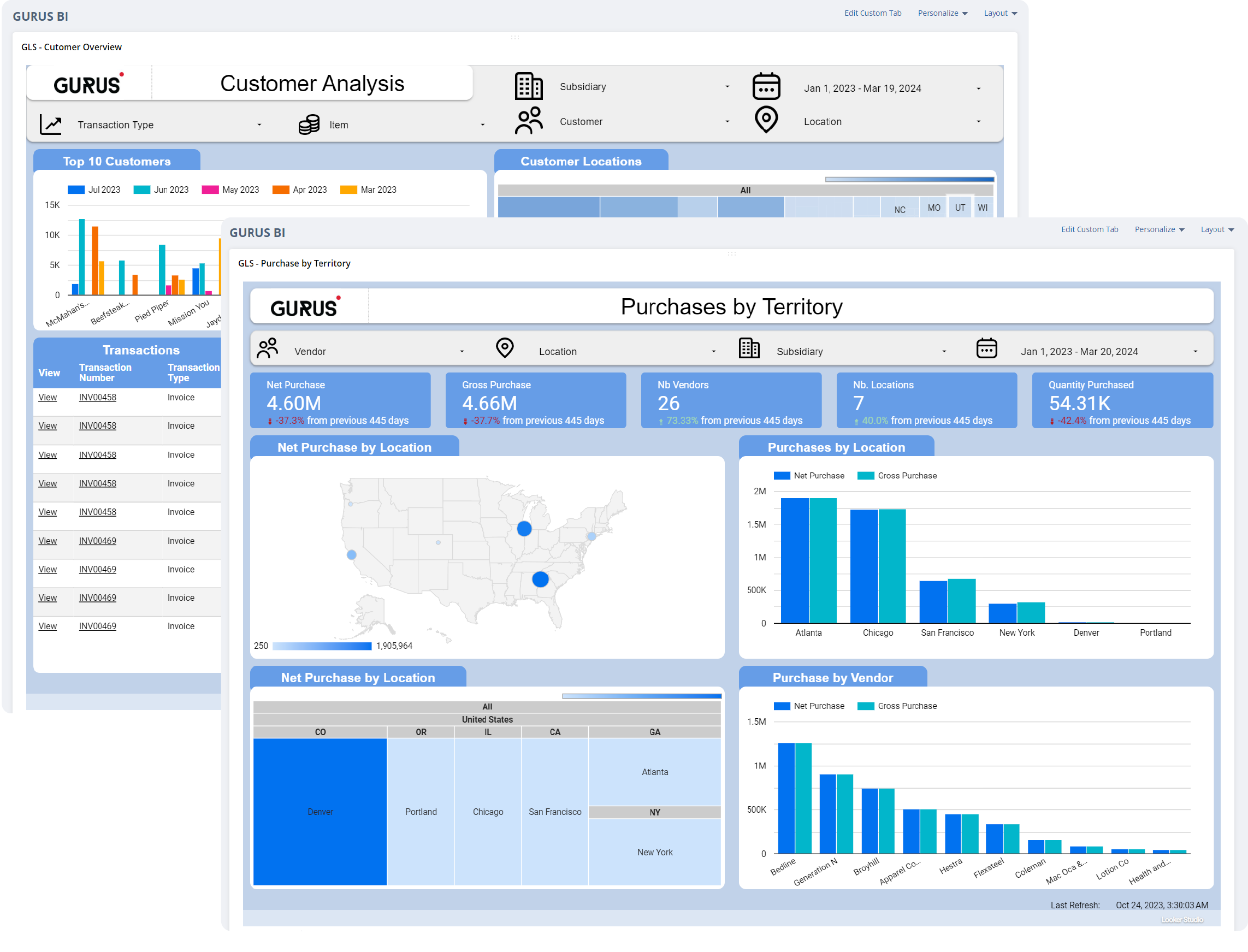
Once archived, the data is instantly available in Google BigQuery, a modern and scalable warehouse that integrates seamlessly with any BI tool. This setup enables companies to perform longitudinal revenue analysis, track margin trends before and after an acquisition, review detailed customer histories, and run multi-year P&L comparisons , all without needing to reload the old NetSuite environment or maintain costly read-only licenses.

The Hidden Risk: “Fast-Track” Data Dumps
Many companies opt for “quick export” solutions that leave out critical elements such as attachments, journal entry support, custom fields, reconciliation reports, department, class, and location context, and other metadata required for traceability. The result is incomplete due diligence, broken audit trails, misstated balances, and costly remediation work months later. GURUS Data Archive 4NetSuite prevents these failures by enforcing a complete, validated, and structured approach, ensuring that every piece of financial data is preserved accurately and fully traceable.
A Clean Break Requires Clean Data
A successful NetSuite carve-out is not just a data migration project , it’s a financial integrity project. With GURUS Data Archive 4NetSuite, both entities walk away with:
-
Verified books
-
Complete audit trails
-
Permanent access to historical financials
-
A modern BI-ready data warehouse
-
Full compliance with 7–10 year retention requirements
This ensures the new entity starts clean , and the legacy entity remains protected.
Why GURUS Is the Right Tool for NetSuite Carve-Outs
For Acquiring Companies
-
Clean, reconciled financial data
-
Faster integration
-
Immediate BI access
For Sellers
-
Legally compliant historical retention
-
Permanent independence from NetSuite licenses
-
Immutable data warehouse
-
Zero risk during future audits
For Both Parties
-
Faster due diligence
-
Verified financials
-
Complete transactional detail
-
Long-term compliance confidence
Ready to Protect Your NetSuite Carve-Out?
Don’t leave your financial history to chance. With GURUS Data Archive 4NetSuite, you get validated, audit-ready records, complete transaction detail, and full traceability, all in a modern, BI-ready warehouse.
Your carve-out deserves more than a “fast-track” export. Ensure accuracy, compliance, and confidence with GURUS Solutions.
Get Started with GURUS Data Archive 4NetSuite